Know when your GO train is leaving, and from which platform.
Live departures for every GO train and bus, the Union Station board on your phone, and a trip planner that handles transfers for you. Made by an independent developer who uses GO Transit too.

Rated 4.7 out of 5 on the App Store from 105 ratings. Free to download. No ads.

Time to head to your train
nowLW Union Station GO → Oakville GO departs in about 10 min.
Check your train before you leave the house
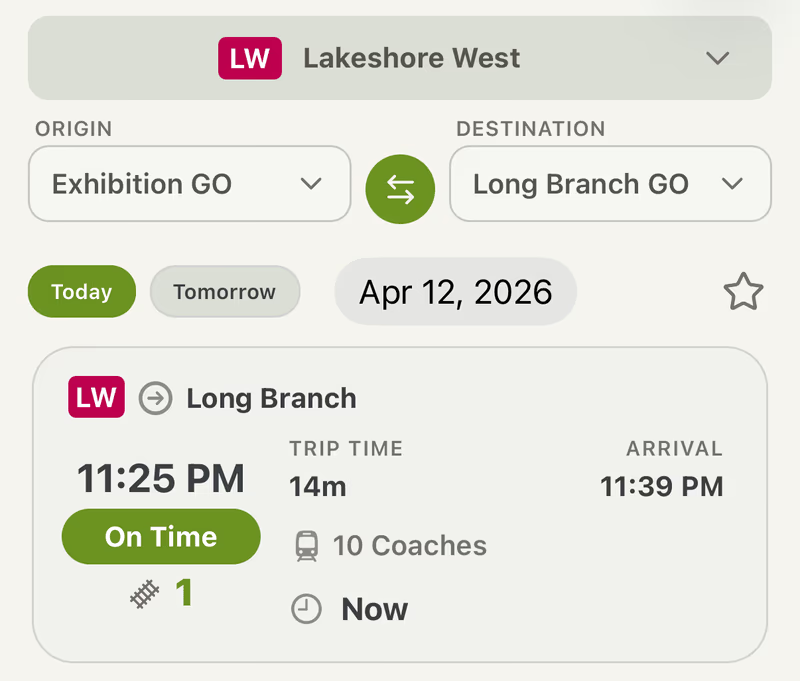
Pick your station and see what's coming next, with a countdown and a clear on time, delayed or cancelled. Planning ahead? Switch to tomorrow or any other date for the full day's schedule. GO bus stops work the same way.
The Union board, without standing under it
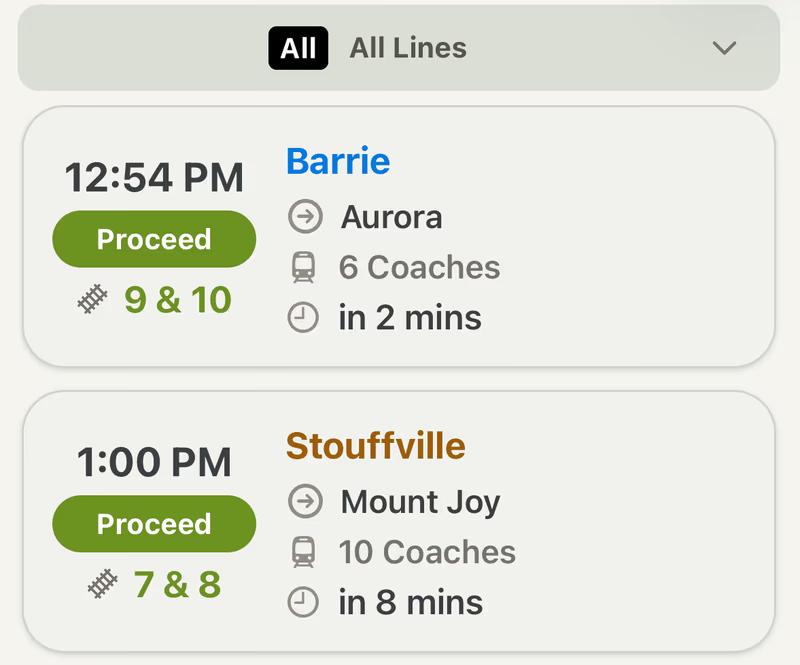
Every train leaving Union, with its platform, how many coaches it has, and whether it's showing Proceed or Wait. Filter to your line and the rest drops away.
With Premium: see the scheduled platform before the board announces it, so you can start heading down early.
Plan the whole trip, transfers included
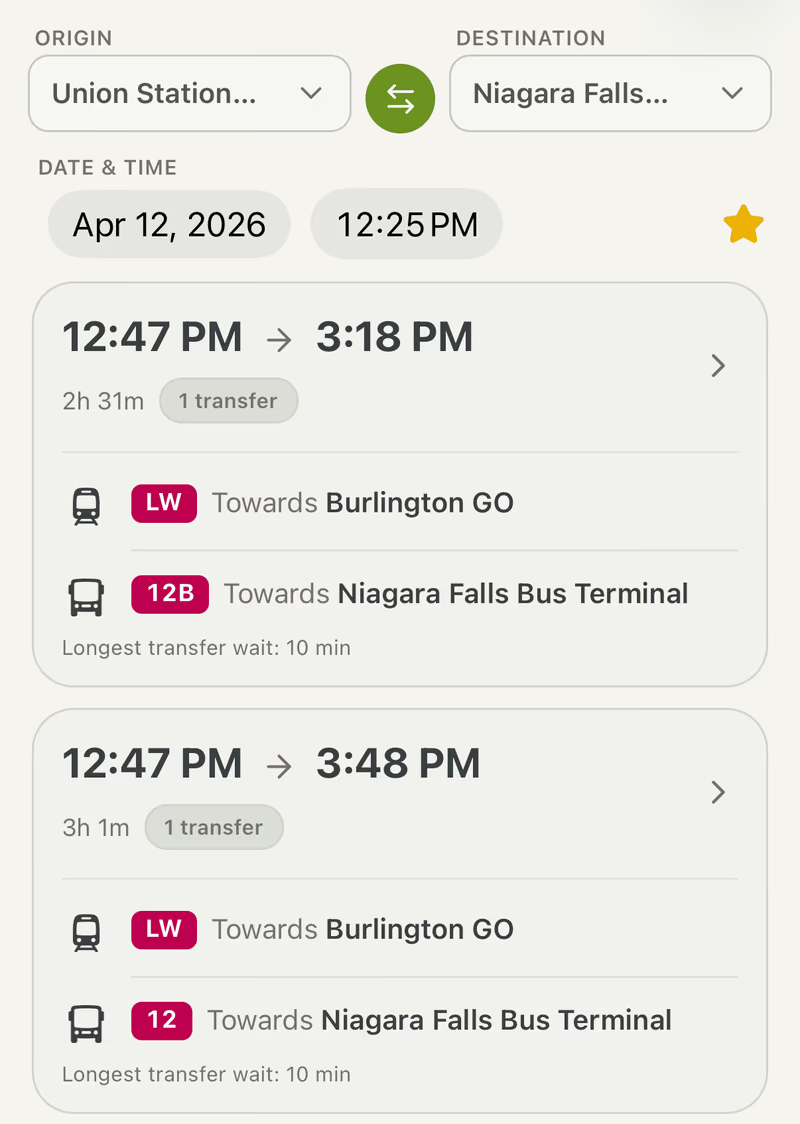
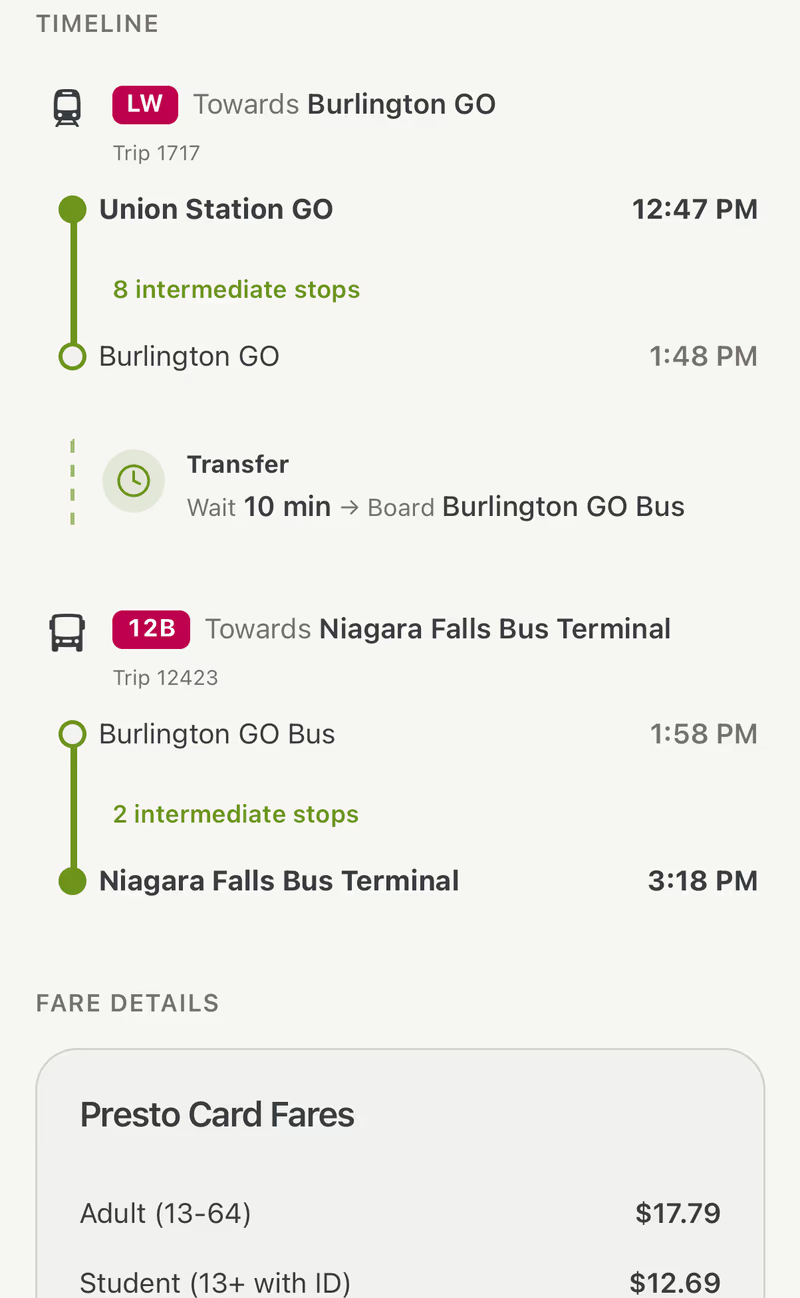
Choose where you're starting and where you're going. OnTime GO lists your options, including trips that change lines or go from a train to a bus, with the total travel time and how long you'll wait at each transfer.
See where your train actually is
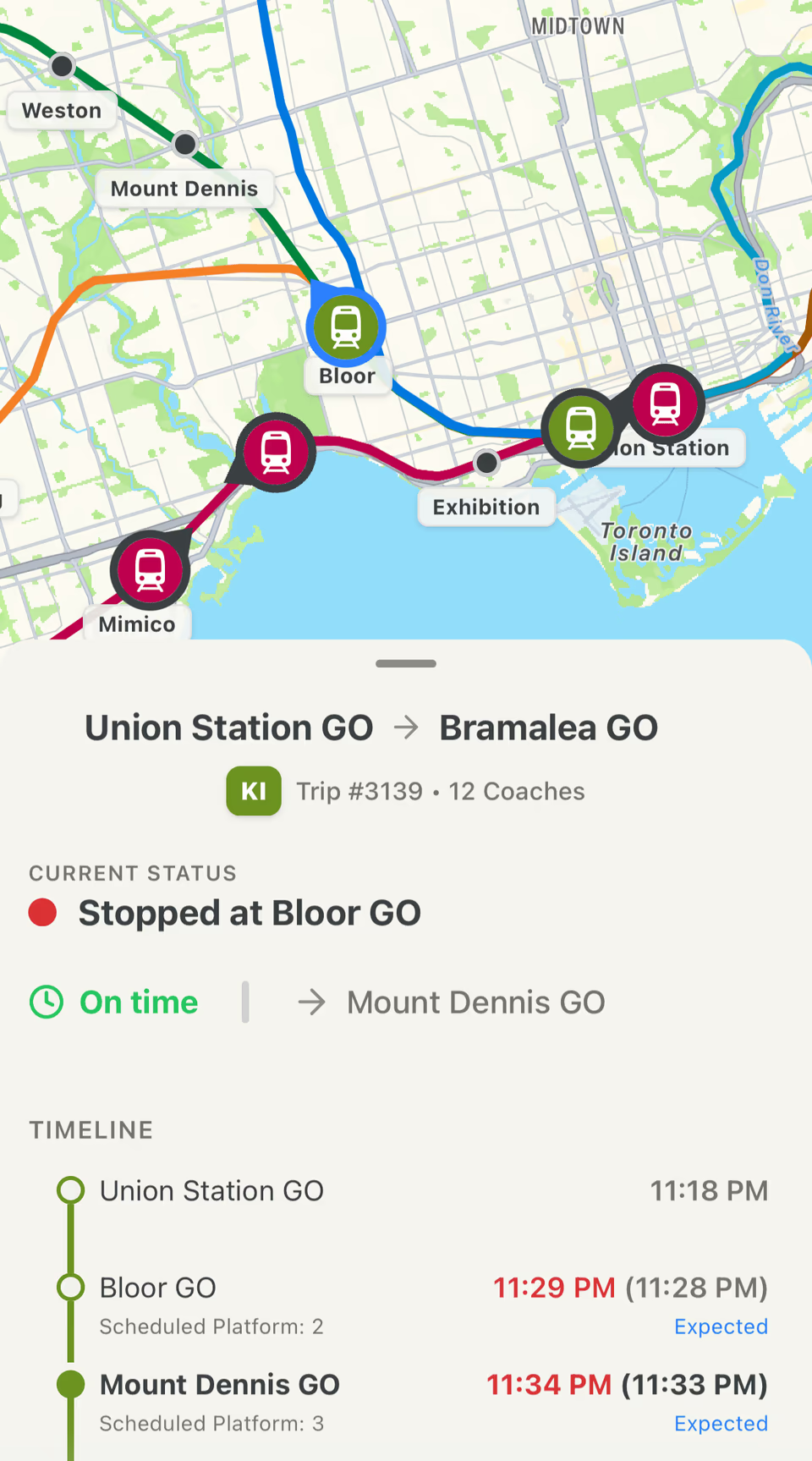
Every GO train and bus on the map as it moves. Tap one to see where it is right now, whether it's running late, and when it'll reach each stop. Useful when the board just says Delayed and nothing else.
Follow your train and put your phone away
Tap Follow on any train or bus. OnTime GO reminds you when it's time to head out, gives you a heads-up before your stop, and tells you straight away if something changes.
Following your 5:41 PM Lakeshore West train
Time to head to your train
5:31 PMLW Oakville GO → Union Station GO departs in about 10 min.
Platform change
5:36 PMLW Oakville GO → Union Station GO is now on platform 3.
Get ready to get off
6:13 PMArriving at Union Station GO in about 5 min.
And the everyday stuff
Small things that add up on a daily commute.
Service alerts
Disruptions and notices for the lines you ride, one tap from any screen.
Offline maps
The GO system map, bus map and Union Station floor plans, saved on your phone for when you lose signal.
Favourites
Save the stations and trips you use most. They're waiting for you each time you open the app.
Your way
Light or dark mode, or match your phone. 12 or 24-hour time.
Made independently
OnTime GO is built and looked after by one developer who uses GO Transit too. It isn't made by Metrolinx, and it runs on GO Transit's public data. If something looks off or you have an idea, email contact@ontimego.ca.
Common questions
Is OnTime GO free?
Yes. Departures, schedules, the Union Station board, the trip planner, service alerts, favourites and offline maps are all free, with no ads. Premium is an optional subscription that adds the live map, trip alerts, early platform info and full trip details with PRESTO fares.
Is this the official GO Transit app?
No. OnTime GO is an independent app made by a developer who uses GO Transit too. It uses the same public real-time data that Metrolinx provides for GO Transit, but it isn't made or endorsed by Metrolinx.
Which GO lines and buses does it cover?
All seven GO train lines (Lakeshore West, Lakeshore East, Milton, Kitchener, Barrie, Richmond Hill and Stouffville), including Stratford on the Kitchener line, plus GO bus routes and stops across the network.
Can it tell me which platform my train leaves from?
Yes. Departures show the platform as soon as GO posts it, the same as the boards at the station. With Premium you can also see the scheduled platform before it's announced, which is handy at Union.
How up to date are the times?
Station departures refresh about every 20 seconds and the Union Station board about every 10. Everything comes from GO Transit's real-time feed, so delays and cancellations show up as soon as GO reports them.
Can I plan a trip that needs a transfer?
Yes. The trip planner finds routes between any two GO stations or stops, including trips that change lines or switch between a train and a bus. Each option shows the total travel time and the longest wait between connections.
How do trip alerts work?
Open a train or bus and tap Follow. You'll get a reminder before it leaves, a heads-up 2 to 10 minutes before your stop, and a notification if it's delayed, cancelled, or changes platform or bay. Trip alerts are part of Premium.
Does it show PRESTO fares?
Yes. Trip details include the PRESTO card fare for adults, students, seniors and children. Full trip details, including fares, are part of Premium.
More answers on the help page.
Try it on your next trip
Free on iPhone.